Support Tickets
Submit and track support requests in PackWares CMS.
Open in AppLearn how to submit and track support tickets in PackWares CMS. Get help from our support team with detailed requests.
Accessing Help & Support
Step 1: Find Help Link
Find the Help link in the footer on any page.
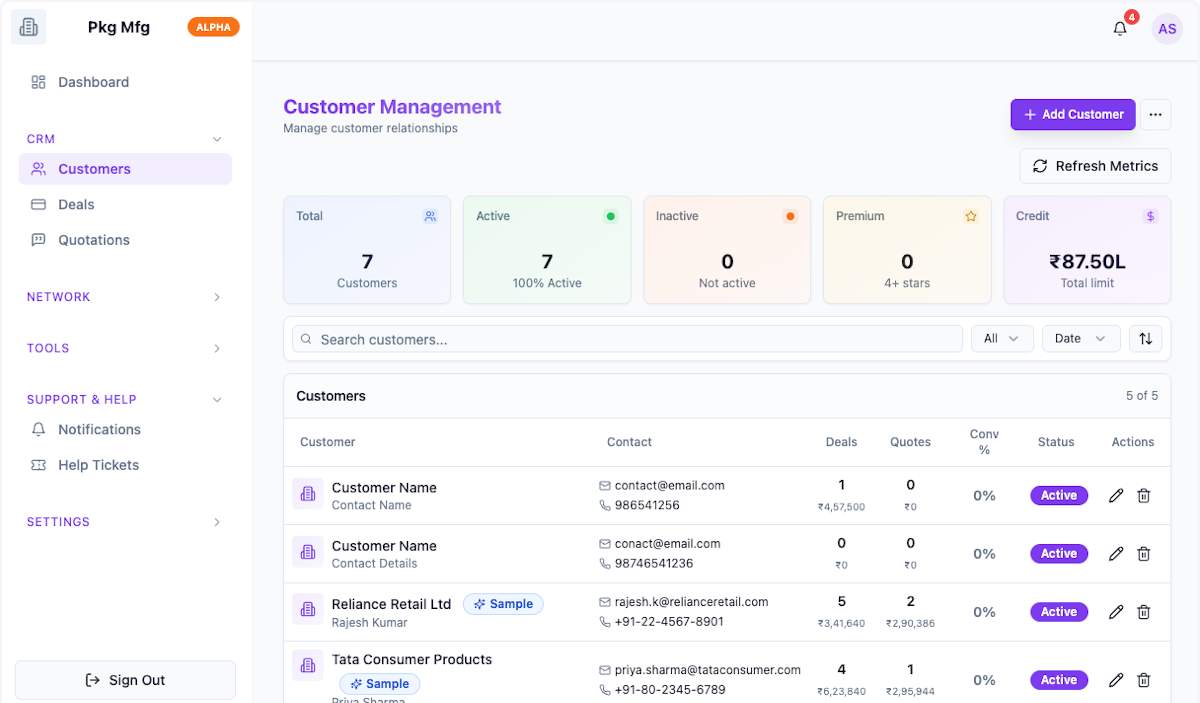
Step 2: Click on Help
Click on Help to open the support panel.
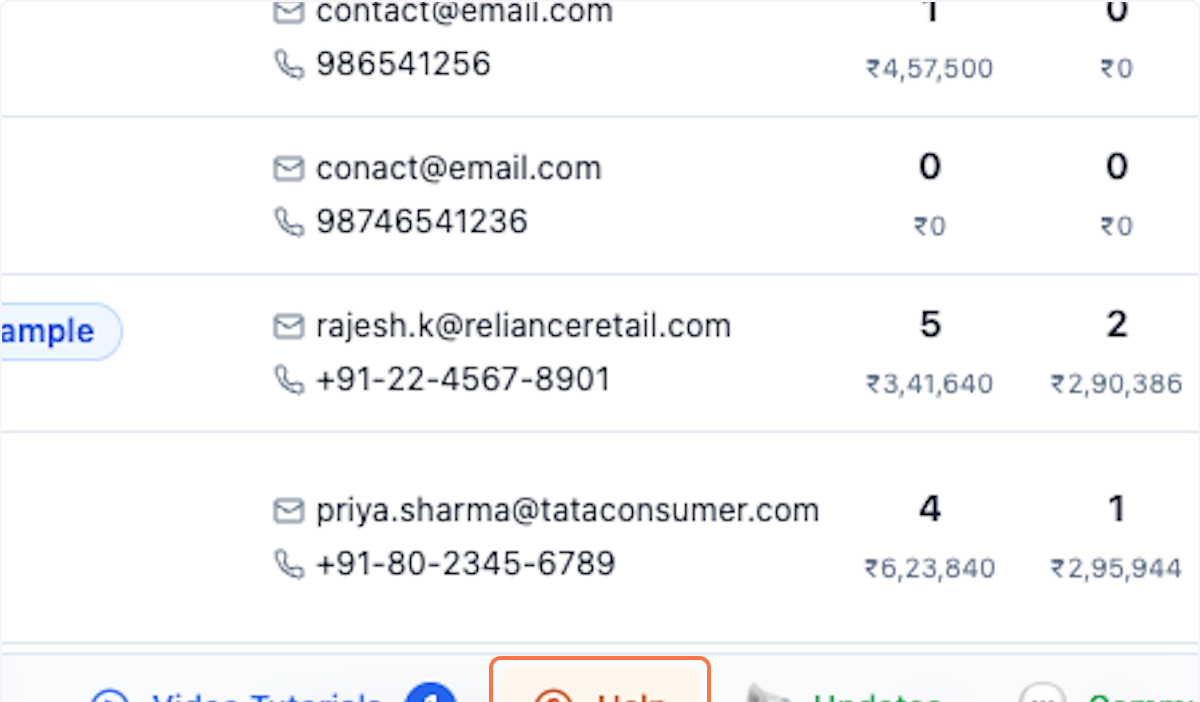
Step 3: Get Help & Support
Click on Get Help & Support to create a new ticket.
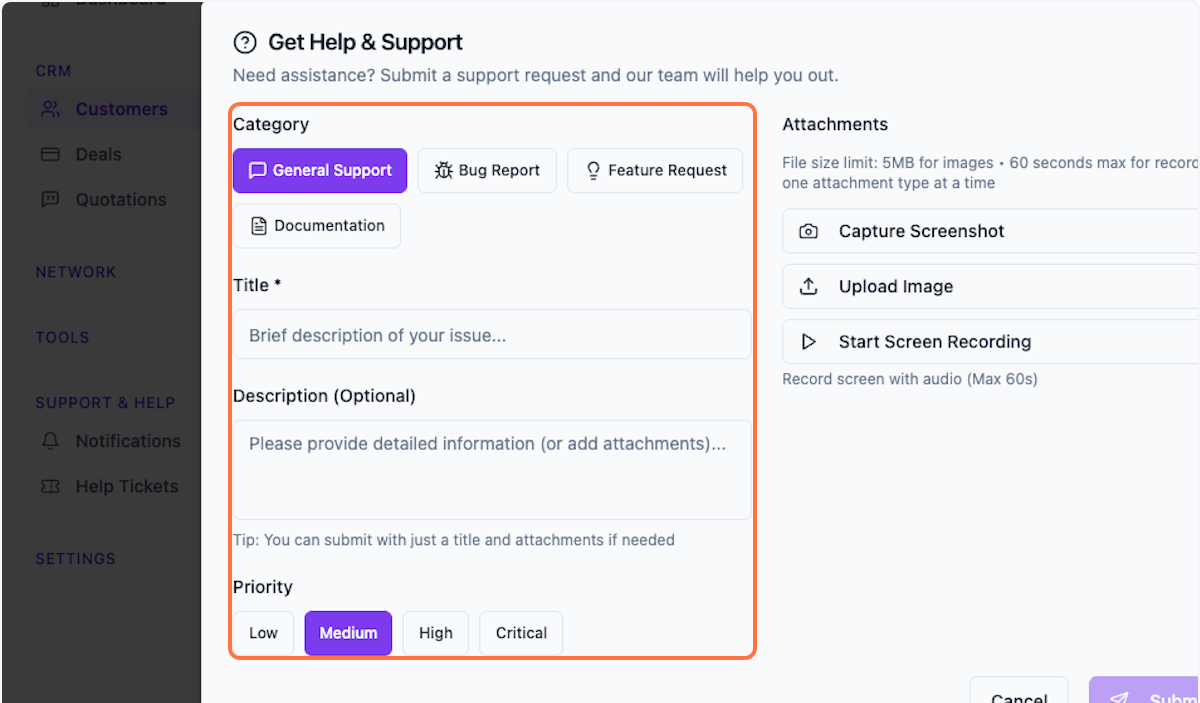
Creating a Support Ticket
Step 4: Select Category
Select the category for your support request.
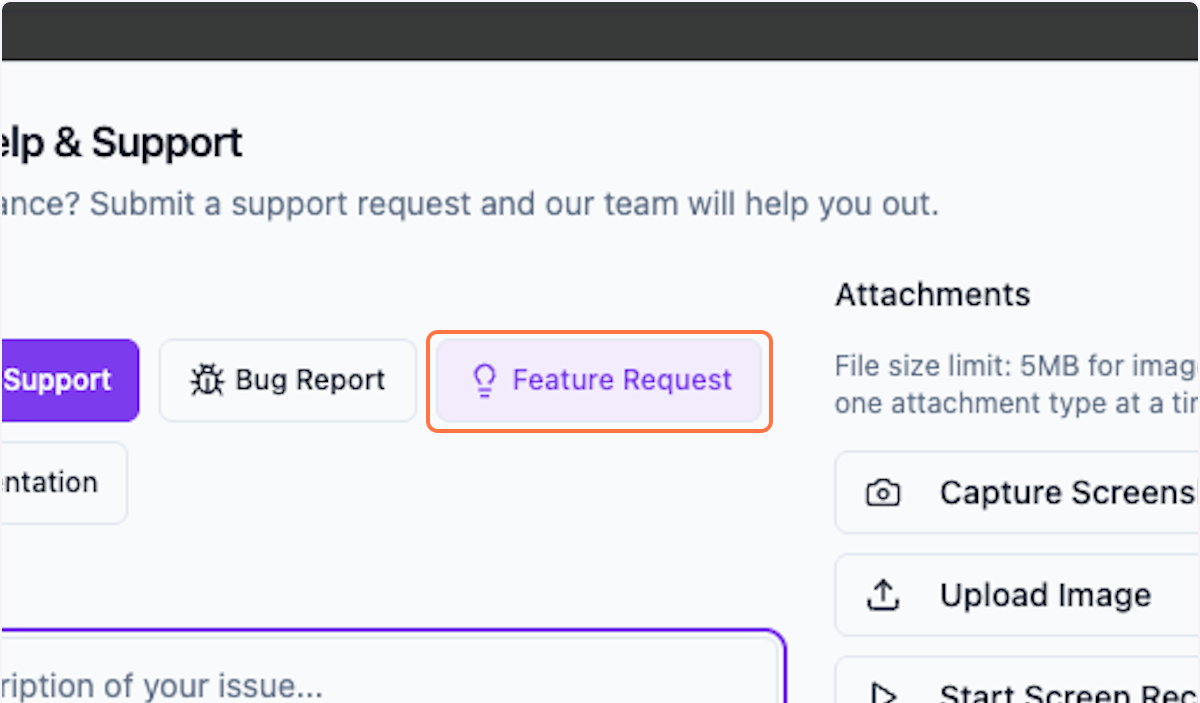
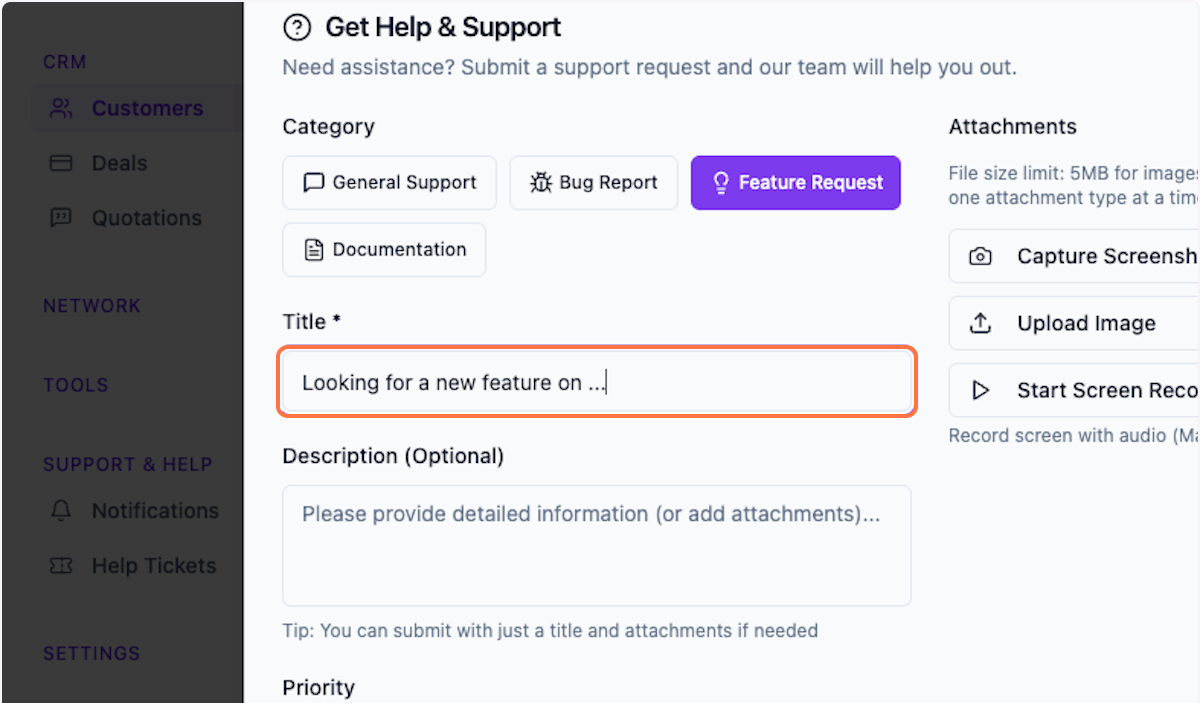
Step 5: Fill in Details
Fill in the basic details of your request.
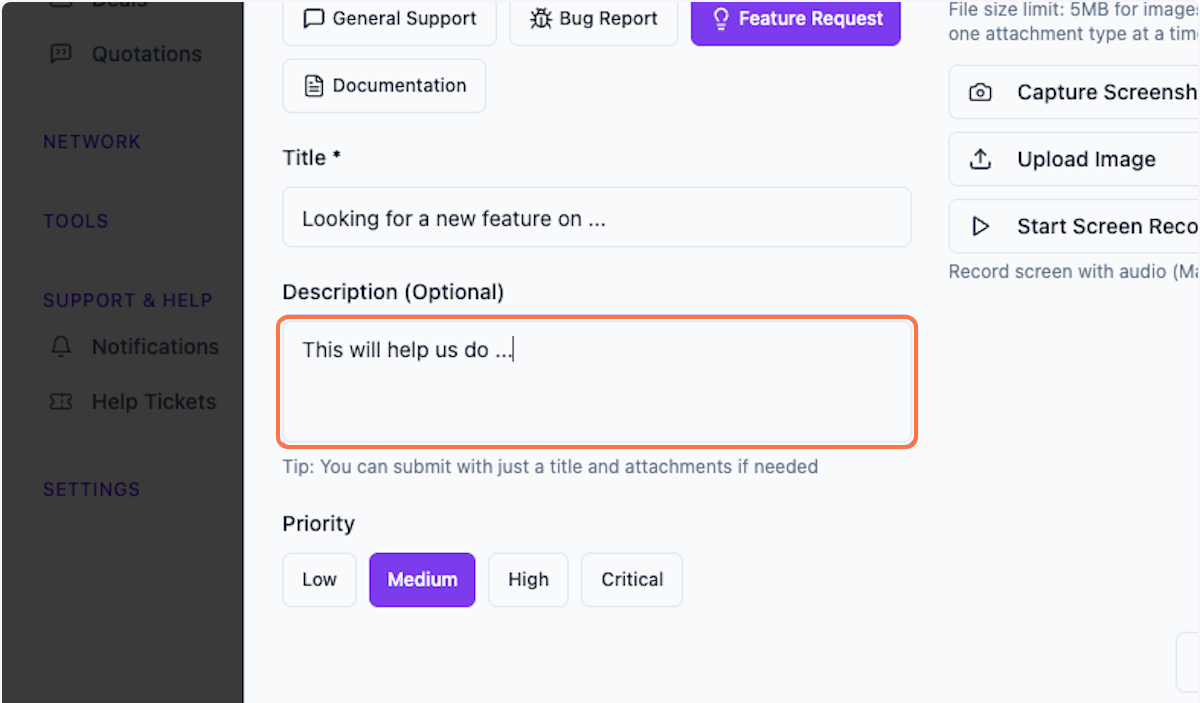
Step 6: Share More Details
Provide detailed explanations to help us understand your requirement better.
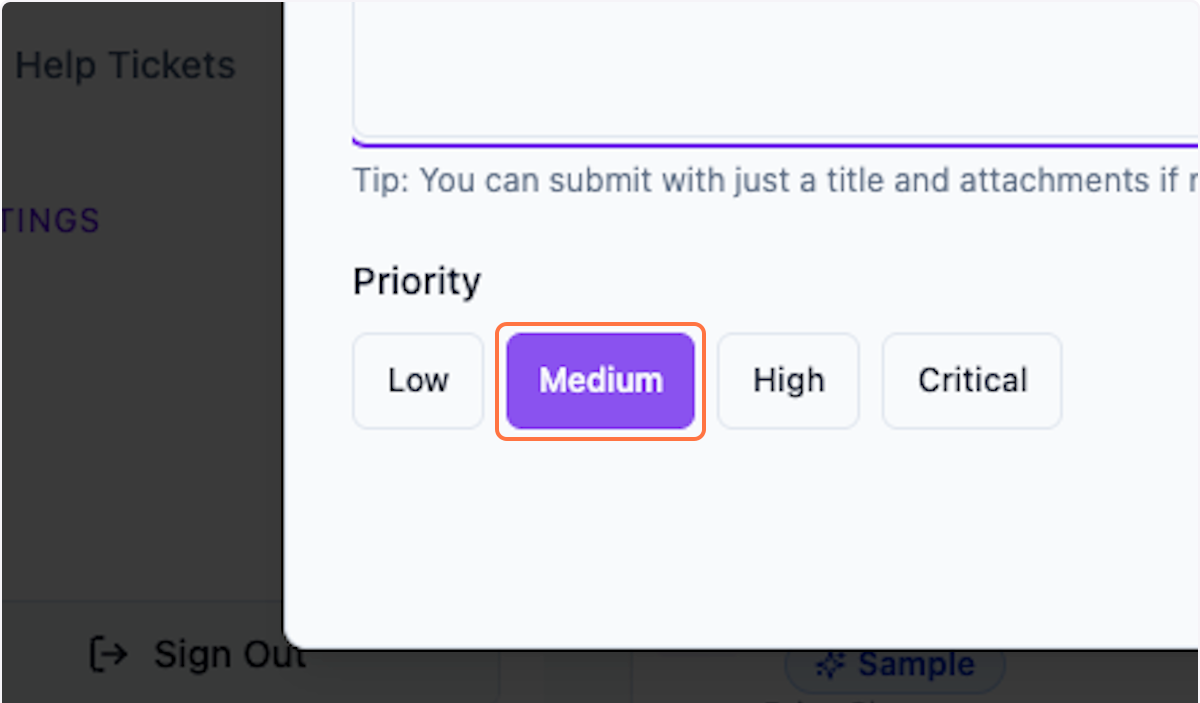
Step 7: Select Priority
Select the priority level for your request.
Adding Attachments
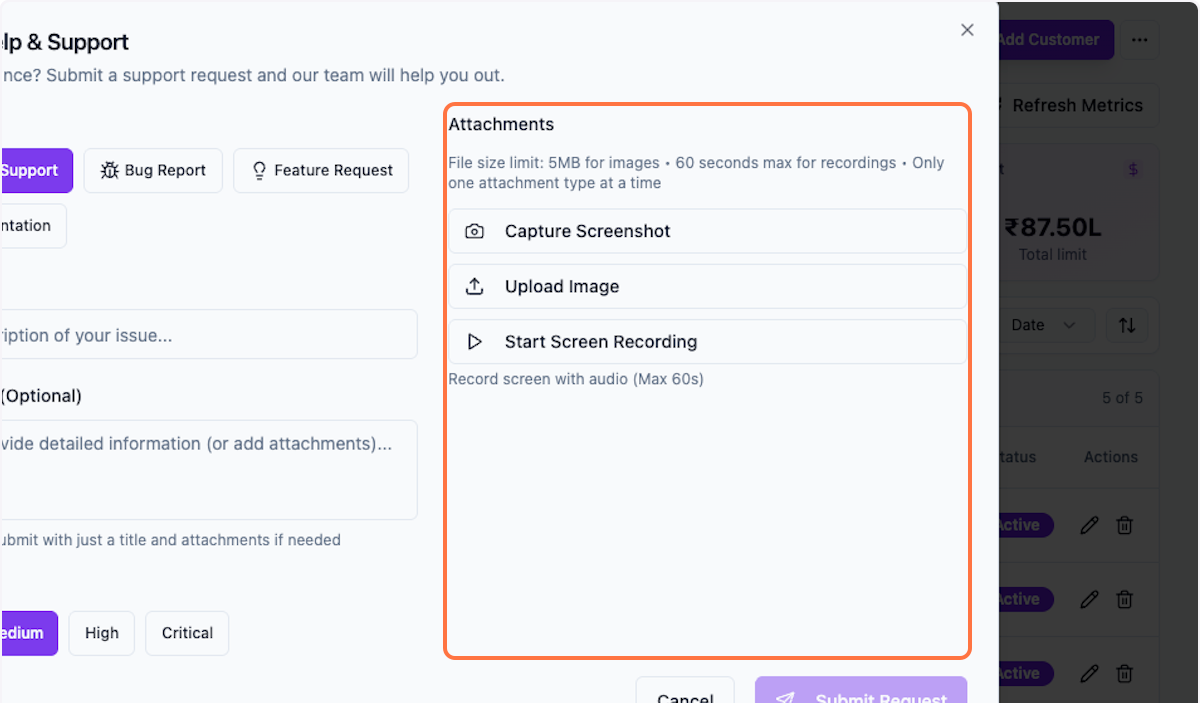
Step 8: Add Attachments
You can add attachments to help explain your issue:
- Capture Screenshot — Automatically captures the current view
- Upload Image — Attach additional images as reference
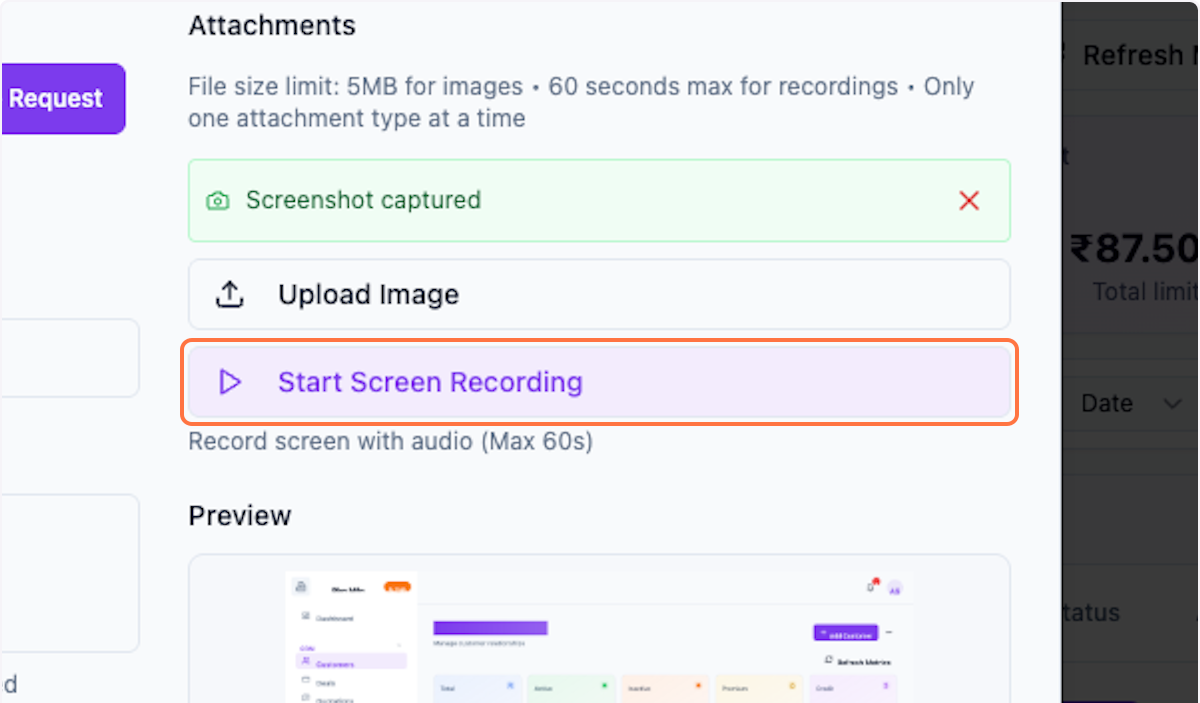
- Start Screen Recording — Record your screen with audio
Note: Maximum file size is 5MB.
Step 9: Start Screen Recording
Record your screen with audio to show us exactly what's happening.
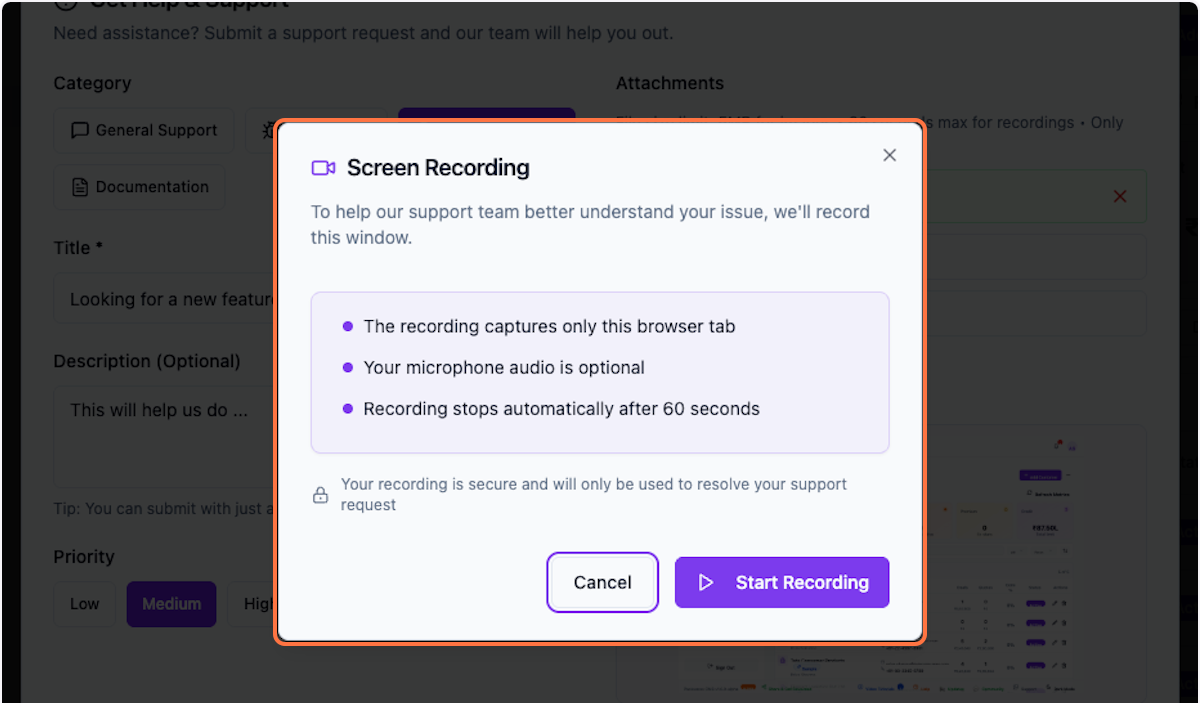
Step 10: Screen Recording Popup
On the popup, click on Screen Recording to begin.
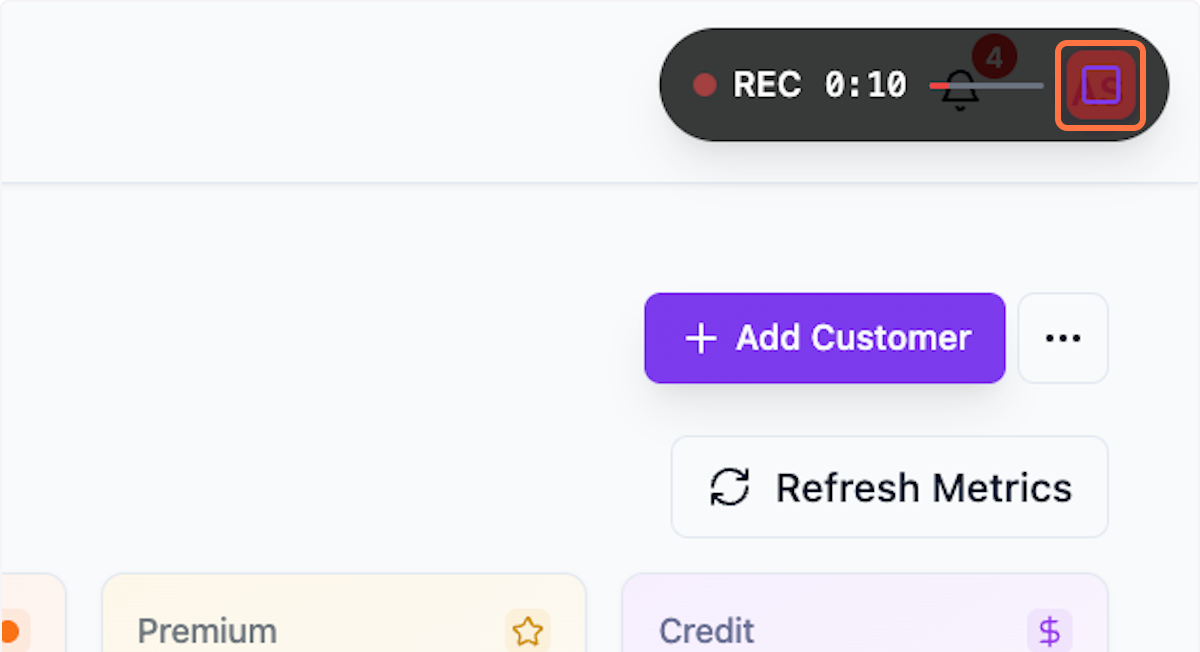
Step 11: Stop Recording
Once you are done, click Stop Recording to end the recording.
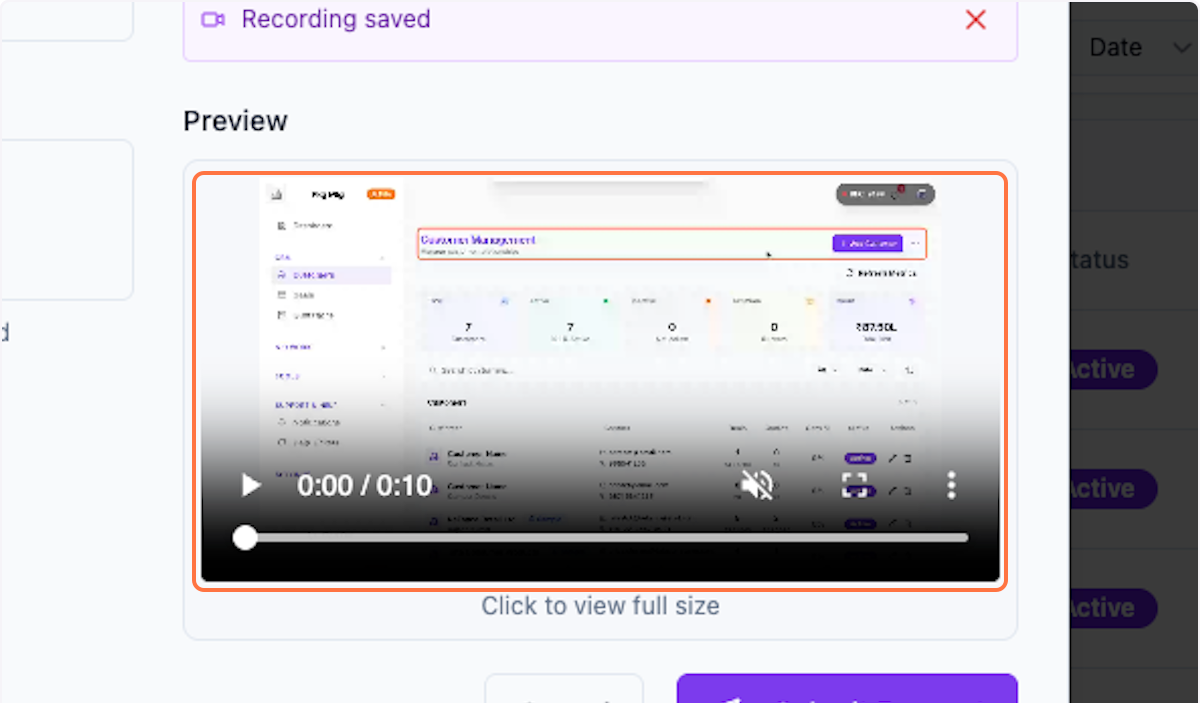
Step 12: Preview Recording
Preview your recording before submitting.
Submitting and Tracking
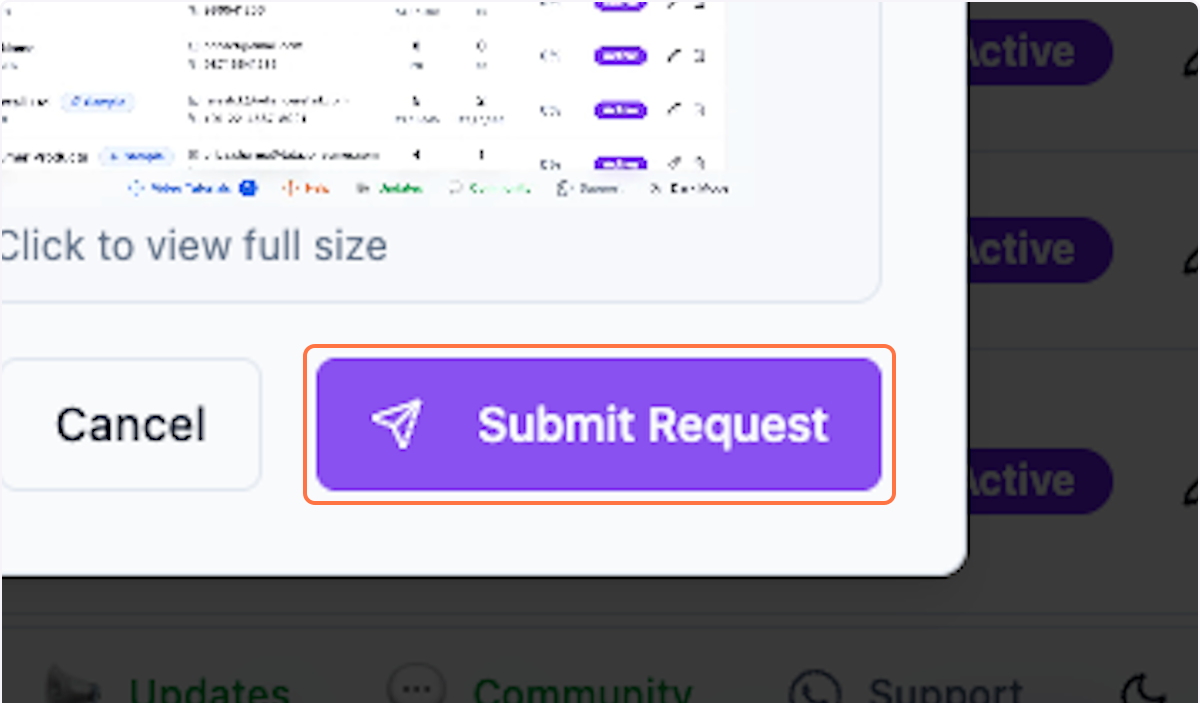
Step 13: Submit Request
Click Submit Request to send your support ticket.
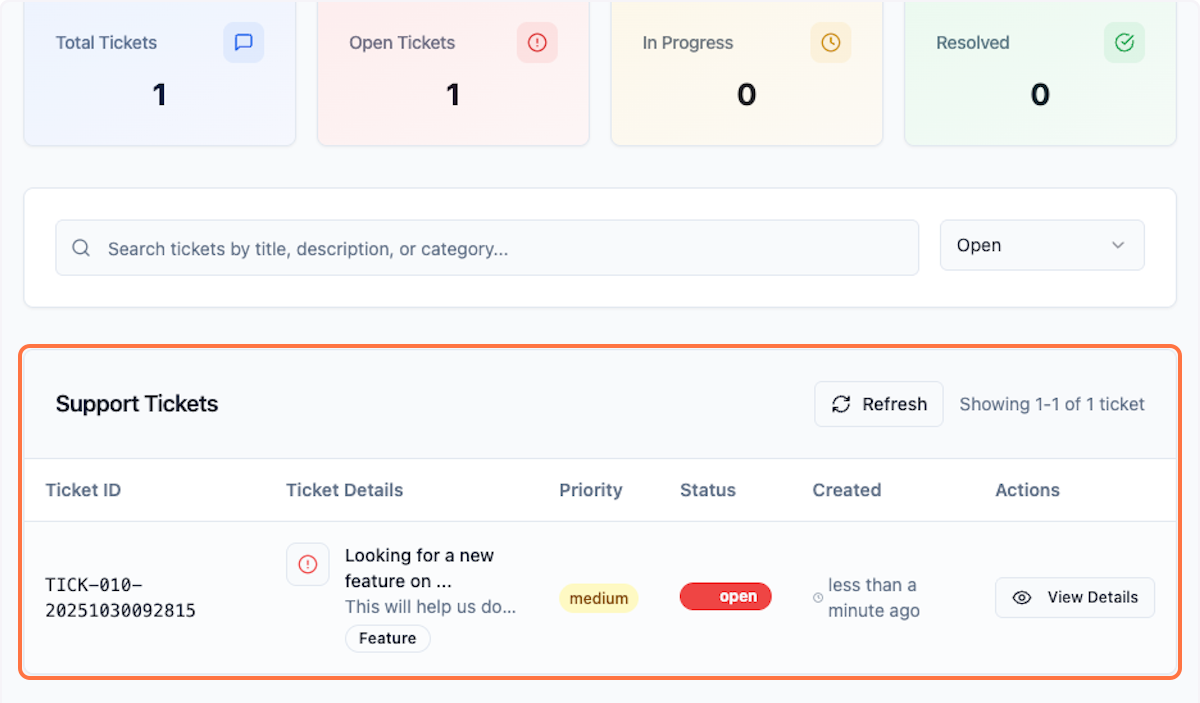
Step 14: Track Your Ticket
Click on Help & Support to find and track your ticket.
What's Next?
After submitting a ticket:
- Track ticket status
- Receive email updates
- Add additional comments if needed
Was this helpful?
Let us know if you need more help.